
The PathHub AI project plan generator turns a short description of your project into a complete project plan: phases, tasks, schedule, milestones, budget, risks, stakeholders and legal obligations. Try it free without signing up; the plan is ready in 3 to 5 minutes and fully editable.
Free · no sign-up · plan in 3–5 minutes · hosted in Germany
From the first sentence to a plan your team can work with, in four steps.
One sentence is enough. The more you say about goal, scope, date and stakeholders, the more precise the plan.
Phases and tasks first, then dates with dependencies, budget, risks and a check of which obligations apply to your project.
Phases, tasks, dates and budget are fully editable. AI recommendations point out gaps such as missing approvals.
Keep working in PathHub with progress, costs and status reports, or export to Excel, PDF, Trello, Asana, Monday.com or Jira.
This is what a plan from the generator looks like. The input was a single sentence; everything below was created by the AI.
InputRoll out a new CRM for 40 sales reps at three locations, including data migration from Excel and training.
Poor Excel data quality. Mitigation: data-quality assessment and cleansing rules by the end of week 4, cleansing and reconciliation in weeks 5–6.
Week 11: CRM live for all 40 sales reps at three locations, final migration reconciled and hypercare handed over to business as usual.
A complete project plan rather than a task list. Everything stays editable and connected in one plan.
Realistic time estimates per phase, based on project type and scope.
Detailed to-do list: not just headings, but concrete steps.
Stakeholders identified from context: internal, external, decision-makers, influencers.
Industry-typical risks with probability of occurrence and mitigations.
Clearly defined quality gates and realistic deadlines.
Industry benchmark as orientation: adjustable, not rigid.
References to GDPR, ISO, industry-specific rules (e.g. critical infrastructure).
Ongoing suggestions for optimization: tasks, risk reduction, next steps.
This is what the generator's result looks like in the app.
A title and a few sentences in your own words are enough. Templates and optional details help but are not required.
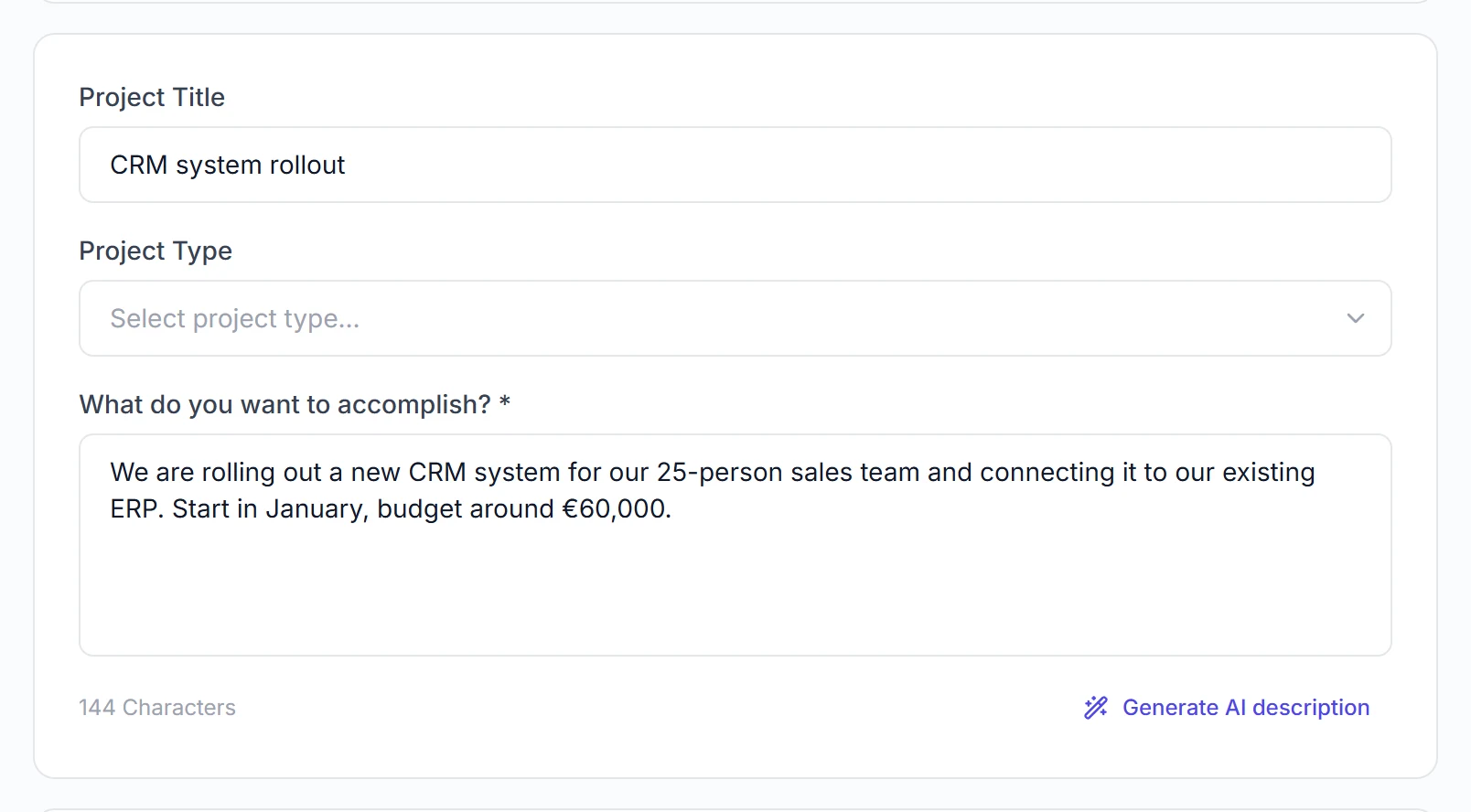
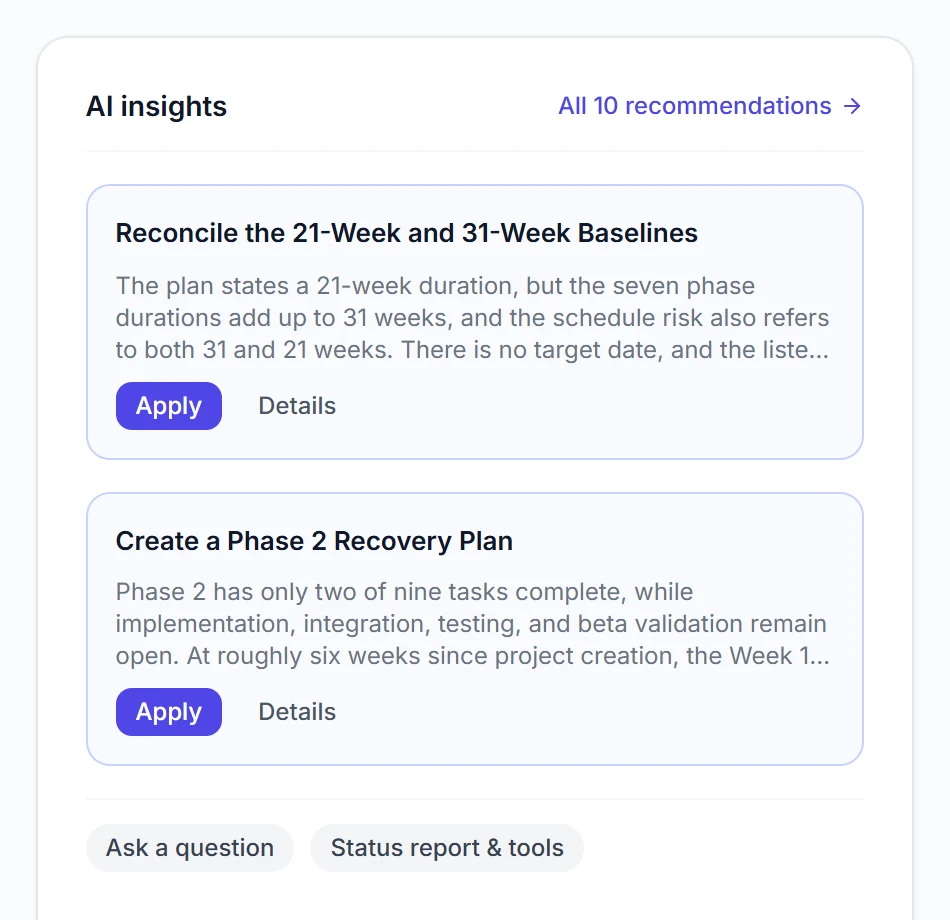
After creation the AI reviews the plan and suggests improvements you can apply with one click.
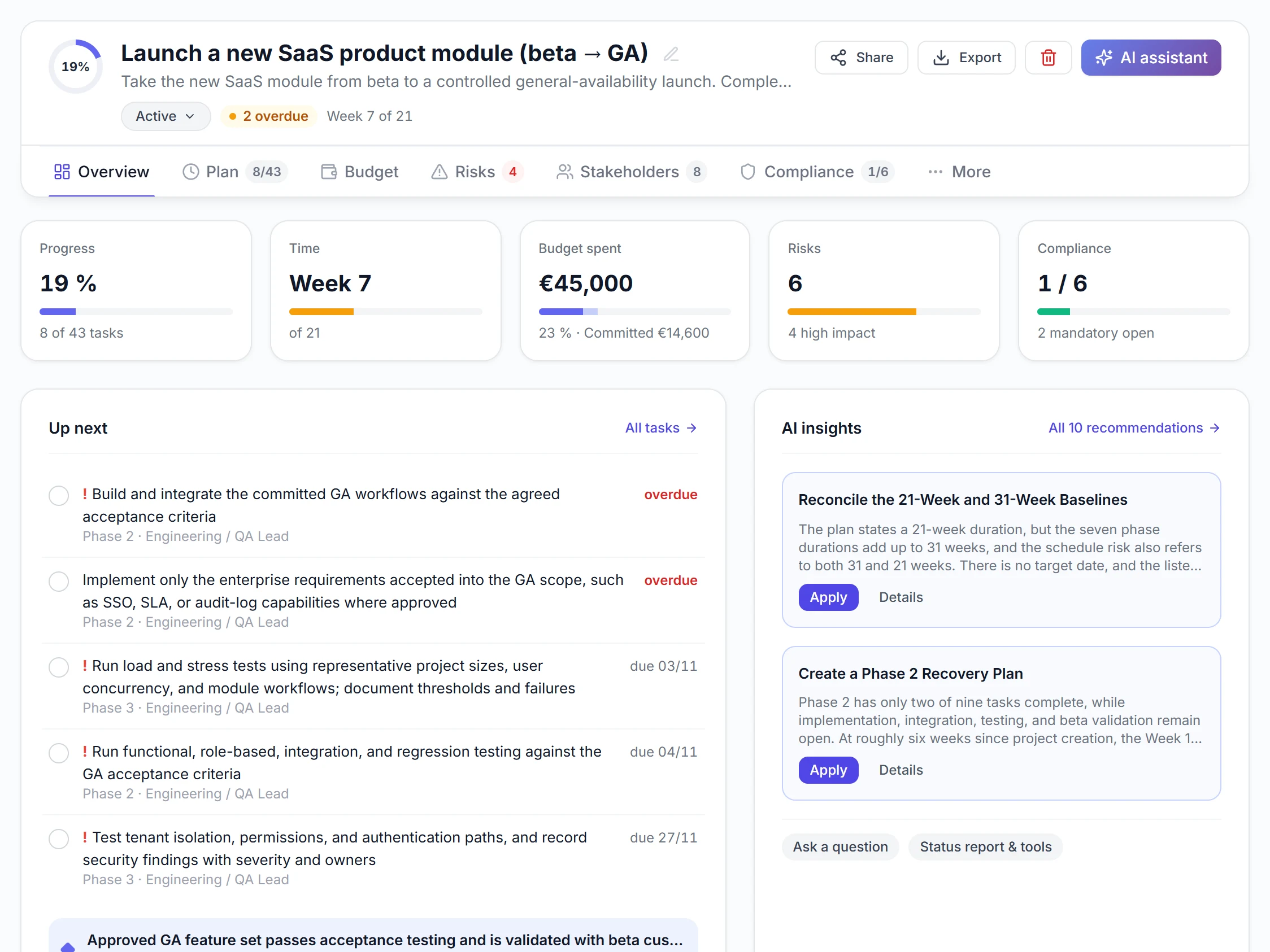
Progress, time, budget, risks and compliance in one overview, plus the next tasks.
Phases may overlap, every task has its own bar and opens on click.
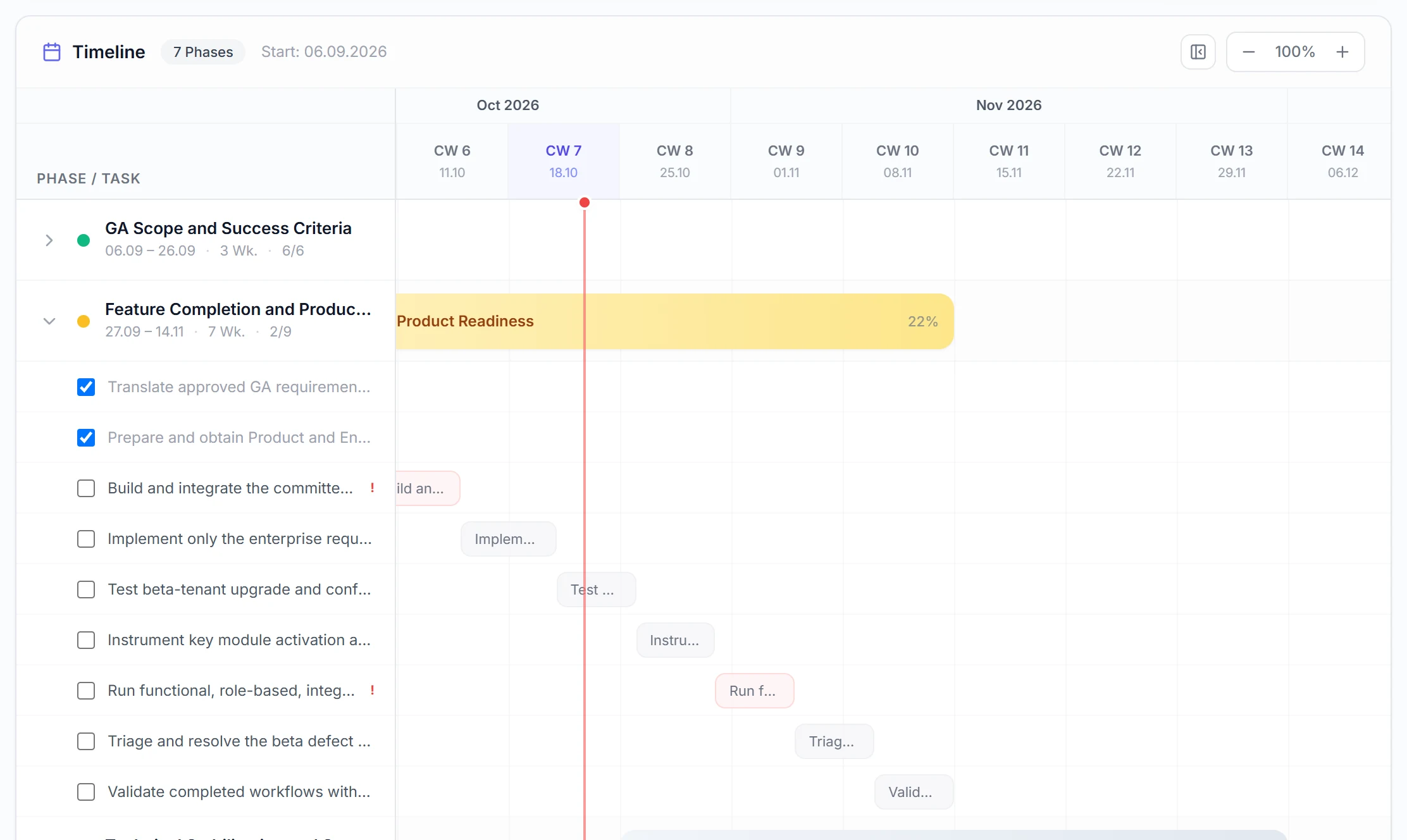
Real views from a sample Path (launching a SaaS product module), not mock-ups.
Three required fields are enough for a complete plan. Add budget, date, team size or approach and the plan gets more precise.
Three ways to a project plan. Which one fits depends on whether you just need a document or want to run the project with it.
| Aspect | Excel or Word template | ChatGPT | Project plan generator |
|---|---|---|---|
| Starting point | Empty grid, you fill in everything | Text or table from your prompt | Structured plan from your description |
| Schedule | Dates maintained by hand | No scheduling logic | Phases and tasks scheduled with dependencies |
| Budget | Your own estimate | Rough estimate in text | Budget items, later with actual and committed costs |
| Risks and stakeholders | Work them out yourself | Generic list | Specific to your project, with mitigations |
| Legal obligations | Not included | Only if you ask, unchecked | Checked against a maintained rule library |
| Keep working | In the file | New chat, context gets lost | Progress, costs and status reports in the same plan |
| Cost | Free | Free to subscription | Free to try, from €49 per month |
Real plans created with the generator: phases, schedule, budget, risks and obligations to explore.
Sales across several sites: data migration, roles and training on schedule.
ERP / SAP SAP S/4HANA moveFrom SAP ECC to S/4HANA with test cycles, cutover and hypercare.
IT Cloud migrationMoving in waves to Azure and Microsoft 365, with backup and disaster recovery.
Finance E-invoicingReceive and send XRechnung and ZUGFeRD, archived to audit standards.
Compliance NIS2 implementationRegistration, risk management and incident reporting set up on time.
Compliance Whistleblowing systemInternal reporting office with deadlines, confidentiality and works council.
HR Time trackingRecording rules, works agreement and data protection before go-live.
Operations Office moveNew workplaces, IT move and safety briefing while business continues.
The generator works with what you tell it. These details make the biggest difference.
What should be different at the end? For example “one CRM for the whole sales team instead of Excel lists”.
How many people, locations or systems are affected?
Target date and budget range, if you already know them.
Works council, external vendors, legacy systems, data migration or deadlines.
Boundaries keep the plan from growing too large.
The plan is editable. AI recommendations and the AI chat help you adjust it.
Yes. You can try the generator without signing up and view the finished plan. With a free account you save one Path and create up to three plans per month with AI. Team costs €49 per month (15 Paths, 3,000 AI points per month), Business €129 per month (50 Paths, 10,000 AI points per month).
Usually 3 to 5 minutes. The AI plans in several stages: phases and tasks first, then dates with dependencies, budget, risks and obligations. You do not need to stay on the page.
One sentence about your project is enough. The plan gets more precise if you add the goal, scope, target date, budget range and key stakeholders. Optionally you can set team size, approach (agile or classic), number of phases and risk profile.
Yes. PDF is available from Team, Excel on the Business plan. From Team you can also export tasks to Trello, Asana, Monday.com and Jira. Or keep working in PathHub and track progress and costs there.
ChatGPT returns text or a table. The generator creates an editable plan: tasks are scheduled with dependencies, budget items can be booked against actual costs, and legal obligations are checked against a maintained rule library. You can paste a ChatGPT draft in as your description.
Mainly internal initiatives: software rollouts such as CRM, ERP or DMS, cloud migrations, office moves, certifications like ISO 27001, compliance projects like NIS2 or e-invoicing, and HR projects such as time tracking or recruiting.
The application and database run in Germany (Hetzner). For AI processing we use providers such as OpenAI and Anthropic, including in the US, covered by data processing agreements and EU Standard Contractual Clauses. We do not train models on your input. All subprocessors are listed in the Trust Center.
Yes. Phases, tasks, dates, owners, budget, risks and obligations are fully editable. AI recommendations point out gaps such as missing approvals or unrealistic dates.
Free to try, no sign-up and no credit card. Your plan is ready in 3 to 5 minutes.
Create project plan